- Role
- UX / UI
- Scope
- Mobile app concept
- Platform
- iOS · Android
- Sector
- Health & sleep
- Engagement
- Concept project
- By
- Bigad Elsherif, founder of Appstruct
Project Overview
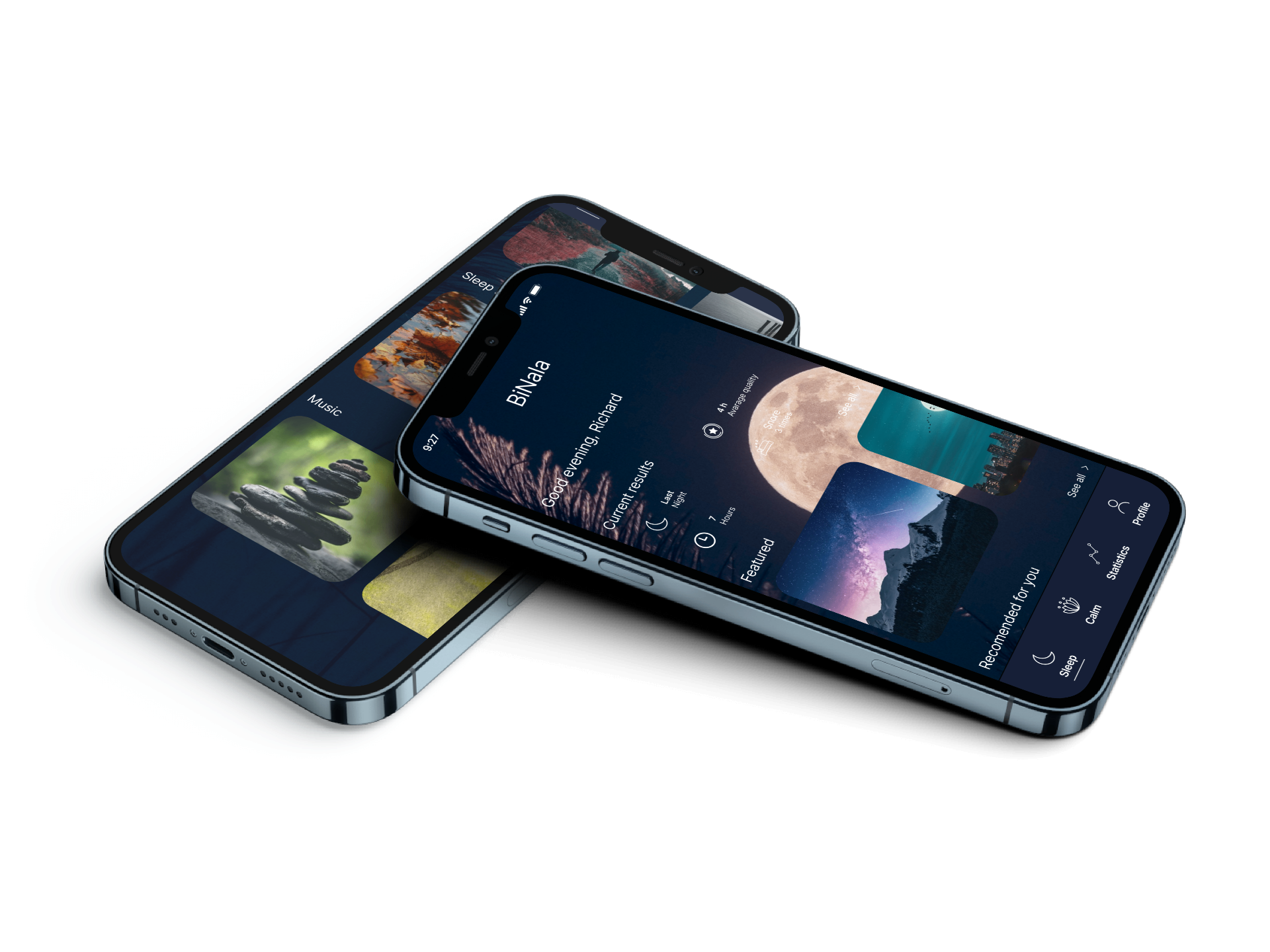
Binala is an innovative sleep tracking and wellness application designed to help users understand and improve their sleep patterns. In today's fast-paced world, quality sleep has become a luxury, and millions struggle with sleep-related issues that affect their health, productivity, and overall well-being.
The app combines advanced sleep science with intuitive design to provide users with actionable insights and personalized recommendations for better sleep quality.
Our Role
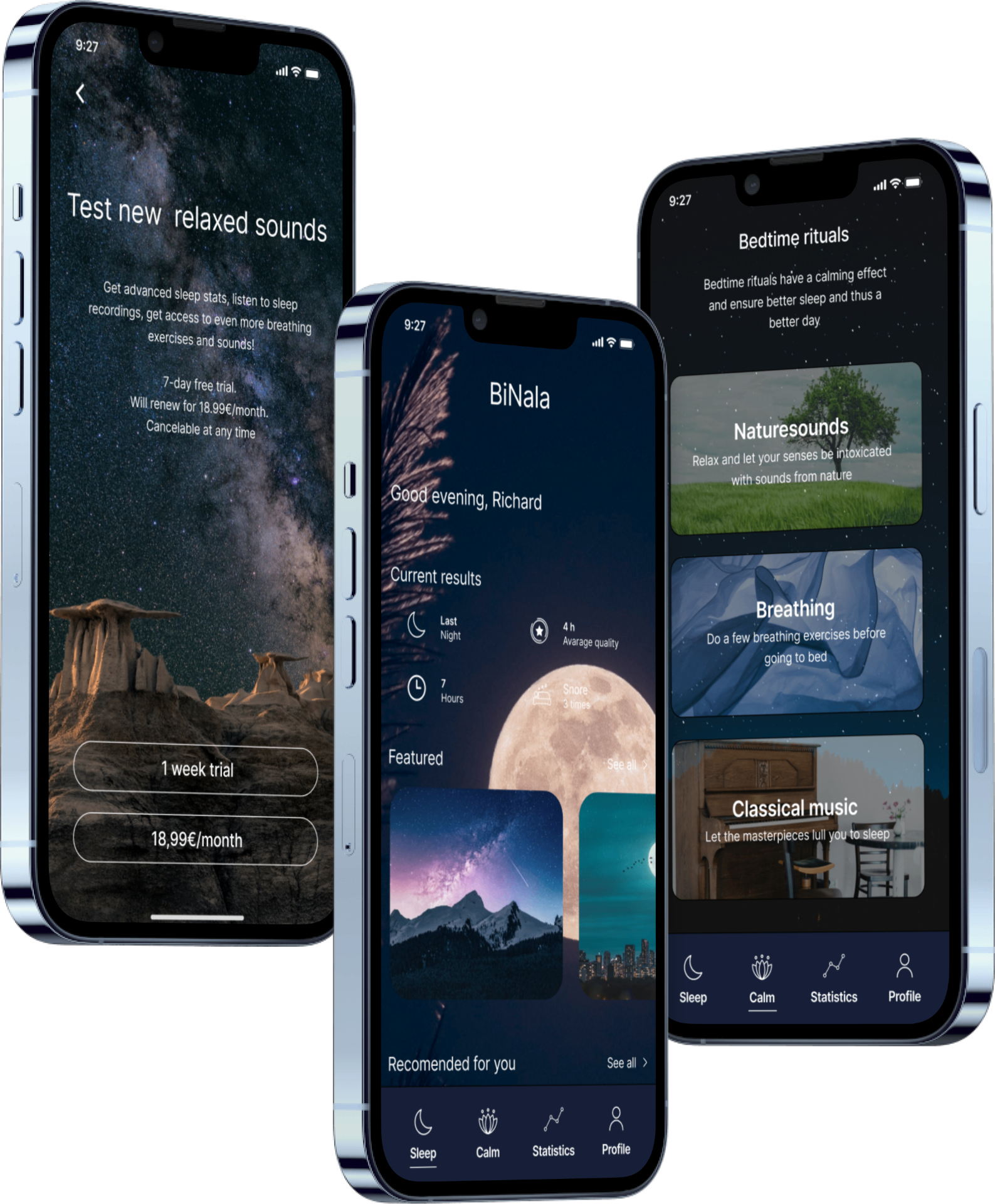
As the lead UX/UI designers for Binala, we were tasked with creating a mobile application that would make sleep tracking accessible, engaging, and genuinely helpful. The challenge was to design an interface that users would actually want to interact with daily, despite the app's primary function being used during their most restful hours.
We needed to balance data visualization, ease of use, and calming aesthetics while ensuring the app provided real value through its insights and recommendations. The goal was to create an experience that helps users build better sleep habits without adding stress or complexity to their bedtime routine.
Design Process
We employed a user-centered design methodology, working closely with sleep researchers and potential users throughout the development process:
- 01Research - Understanding sleep science and user needs
- 02Define - Identifying key problems and opportunities
- 03Ideate - Brainstorming features and interaction patterns
- 04Prototype - Creating interactive mockups
- 05Test - Validating designs with real users
- 06Iterate - Refining based on feedback and data
Research Insights
Through user interviews and market analysis, we discovered several key insights that shaped the design direction:
User Pain Points
- Difficulty falling asleep and staying asleep
- Waking up feeling unrested
- Not understanding what affects sleep quality
- Inconsistent sleep schedules
- No actionable insights from existing apps
Opportunities
- Smart alarm that wakes in optimal sleep phase
- Personalized sleep environment recommendations
- Integration with smart home devices
- Guided meditation and soundscapes
- Sleep habit tracking and coaching
Competitor Gaps
- Overwhelming data without clear actions
- Generic recommendations
- Poor onboarding experience
- Cluttered, stressful interfaces
Design Principles
- Calming visual language
- Minimal cognitive load
- Clear, actionable insights
- Progressive disclosure of information
User Persona
Emma
Emma is a 32-year-old project manager who struggles with inconsistent sleep patterns due to work stress and an irregular schedule. She wants to improve her sleep quality but doesn't know where to start. She's tried other sleep apps but found them either too complicated or not helpful enough.
Goals
- Fall asleep faster and sleep through the night
- Wake up feeling refreshed and energized
- Understand what affects her sleep quality
- Build consistent sleep habits
Needs
- Simple, easy-to-understand insights
- Practical recommendations she can actually follow
- Relaxing bedtime routine support
- Smart alarm that doesn't jar her awake
Frustrations
- Current apps show too much data without explaining what it means
- Generic advice that doesn't apply to her specific situation
- Complicated setup processes that take too much time
- Bright, stimulating interfaces that don't help her wind down
Key Features
Smart Sleep Tracking
Automatic detection of sleep phases using phone sensors and optional wearable integration. The app analyzes sleep quality, duration, and patterns without requiring manual input.
Intelligent Wake-Up
Smart alarm that identifies the optimal wake-up time within a user-defined window, waking them during light sleep for a more natural, refreshed feeling.
Sleep Environment Analysis
Monitors bedroom conditions like noise and light levels, providing recommendations for optimizing the sleep environment.
Bedtime Rituals
Guided meditation, breathing exercises, and calming soundscapes to help users wind down and prepare for sleep.
Personalized Insights
Machine learning algorithms identify factors affecting sleep quality and provide actionable, personalized recommendations.
Visual Design
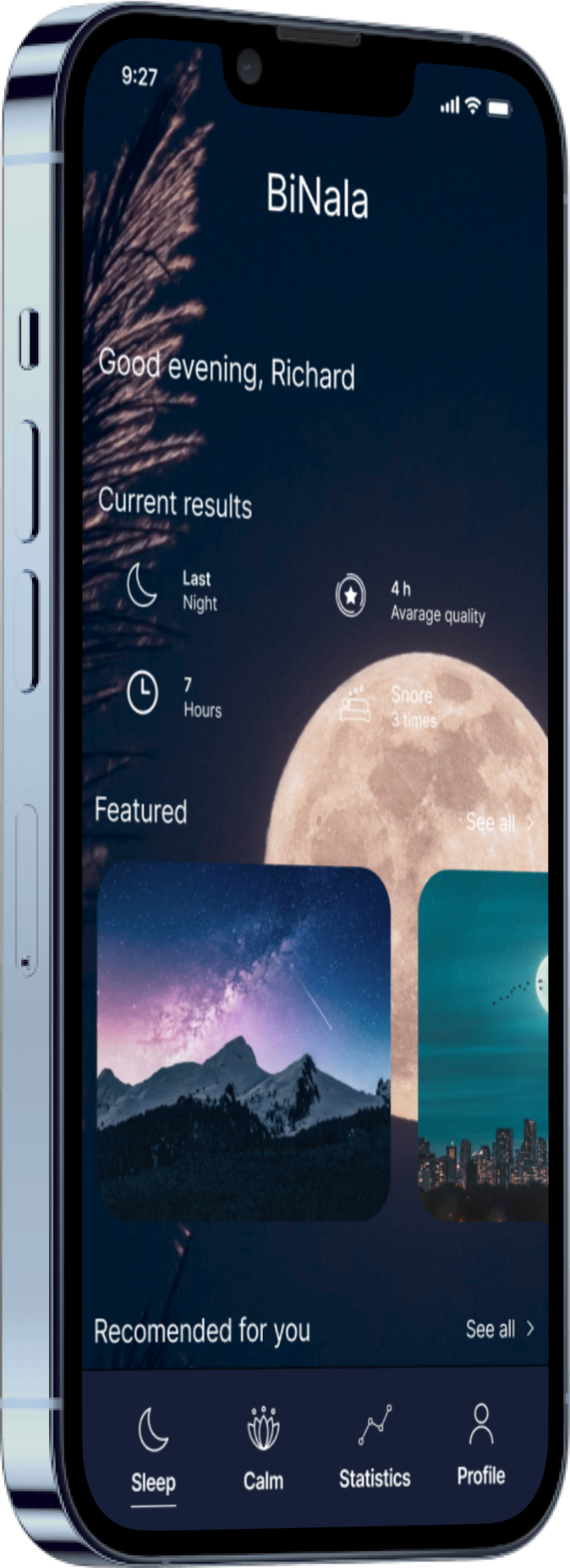
The visual design of Binala centers around creating a calm, restful atmosphere that supports the app's purpose. Every design decision was made with sleep psychology in mind.
Color Palette
Deep blues and purples associated with nighttime, combined with soft neutrals. Dark mode optimized to reduce blue light exposure before bed.
Typography
Rounded, friendly typefaces that feel approachable and reduce visual tension. Generous spacing for easy readability in low-light conditions.
Animations
Gentle, fluid transitions that feel natural and calming. Breathing animations and subtle motion to guide attention without being jarring.
Iconography
Soft, organic shapes inspired by sleep-related imagery. Consistent visual language that's immediately understandable.
Design intent
Designed to clarify the product flow and reduce unnecessary cognitive load at the two moments it is used — last thing at night and first thing in the morning.
Sleep data is presented as a small number of readable signals instead of an unfiltered dashboard.
The smart alarm is structured as the primary daily interaction, with secondary features deliberately deferred.
A considered foundation for future validation: the concept is defined well enough to test with real sleepers.